Overview
Songbook solves a problem every musician knows: your songs are scattered everywhere — some on Ultimate Guitar, some in a notebook, some on loose paper. This app brings them all into one place with two smart import methods.
The Ultimate Guitar importer pulls chord charts and lyrics directly from a URL. The OCR scanner lets you point your camera at any written or printed lyrics sheet and transcribes it automatically. Both end up in the same clean, searchable songbook.
How It Works
Import from Ultimate Guitar
Paste a Ultimate Guitar URL and the app fetches the chord chart and lyrics, strips the formatting, and saves it to your songbook in a clean, readable layout.
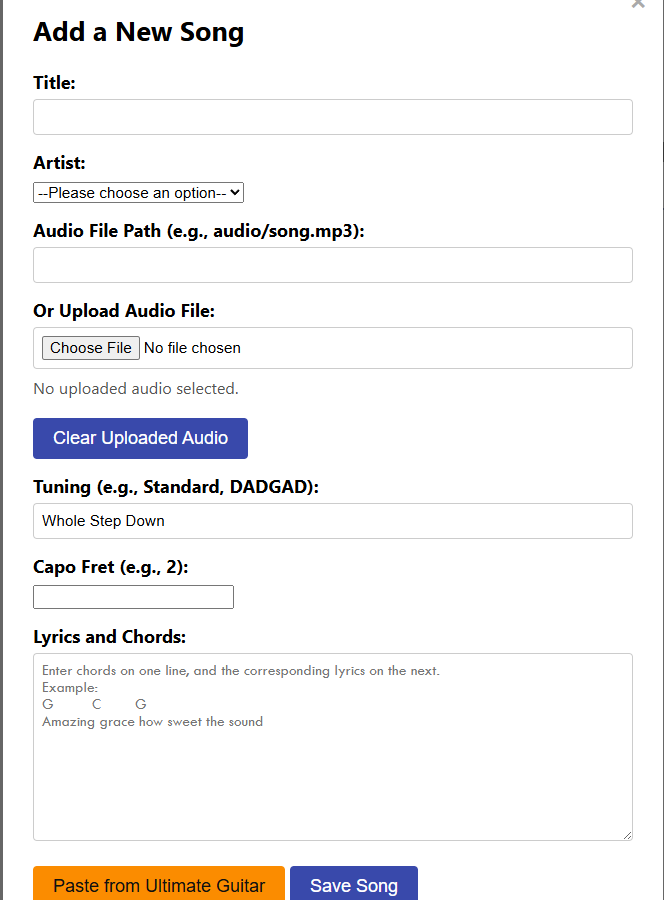
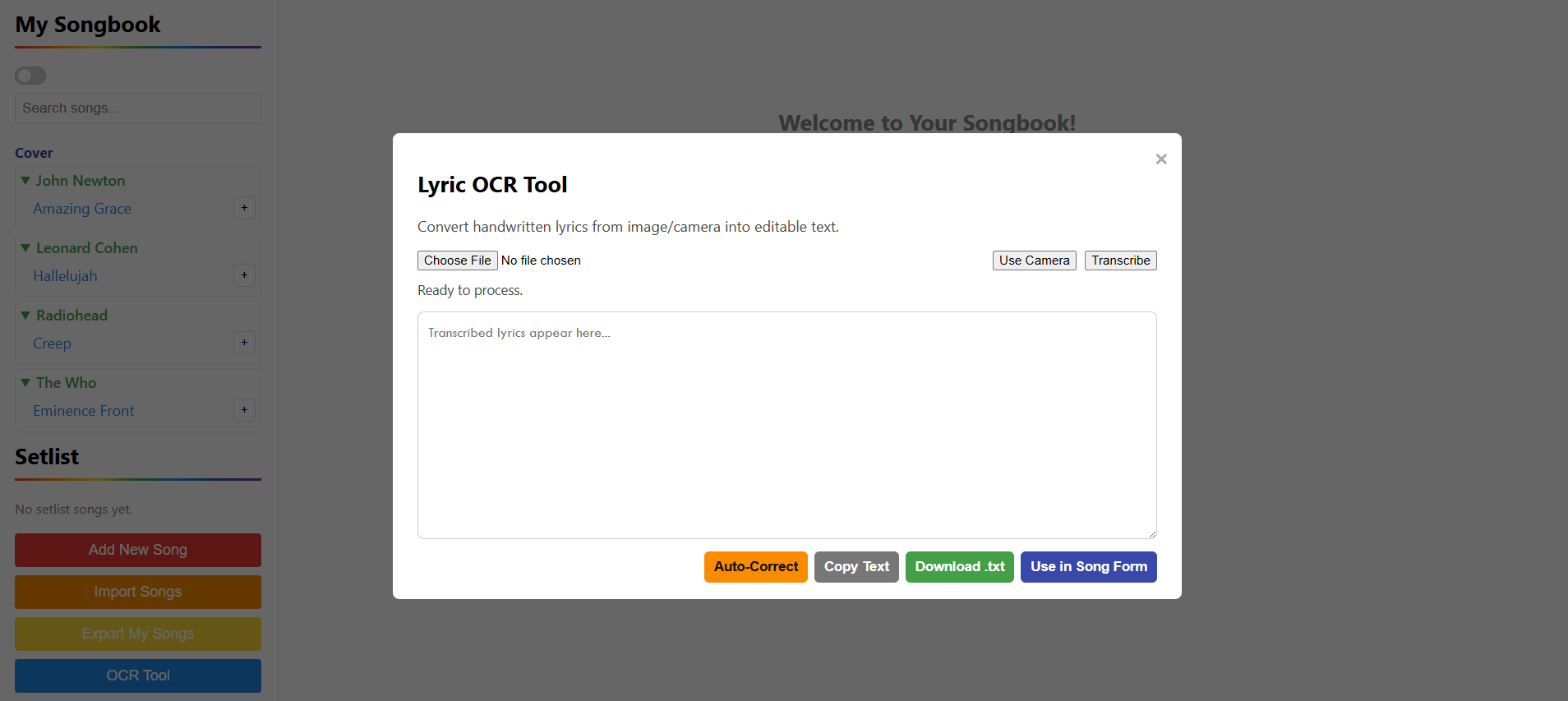
Scan with OCR
Use your device camera to photograph any handwritten or printed lyrics sheet. The OCR engine processes the image and transcribes the text, which you can review and edit before saving.
Organize & Search
All songs land in your personal songbook. Tag them by genre, key, or artist and search by any field to find what you need instantly.
Perform Mode
Open any song in full-screen perform mode with large text, auto-scroll, and screen-always-on so you can read while playing.
Key Features
Ultimate Guitar Import
Paste any Ultimate Guitar link and get a clean chord chart saved to your library instantly.
OCR Scan Tool
Photograph handwritten or printed lyrics and let the OCR engine transcribe them automatically.
Perform Mode
Full-screen reading view with large text, auto-scroll, and screen lock for live performance use.
Key Transposer
Transpose any chord chart up or down by semitone with a single tap — no manual editing needed.
Setlist Builder
Group songs into setlists for gigs or practice sessions and step through them in order during performance.
Edit & Annotate
Edit any imported or scanned song and add personal annotations, capo notes, or performance reminders.
Tech Stack